
Self-Service Analytics


Embed Self-Service Analytics in Products
Let customers explore, filter, and build their own analytics views inside your product, without losing control of data, permissions, or the experience.
THE PROBLEM
Self-Service Without Chaos
Static dashboards work when customers need the same views. Users often need to filter, group, and build their own, without a shadow analytics process.
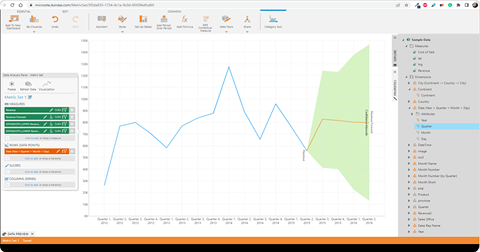
Answer Own Questions
Static dashboards work when customers need the same views. Users often need to filter, group, and build their own. Without that in-product, they export data or open tickets. Self-service should reduce requests, not create a shadow process.
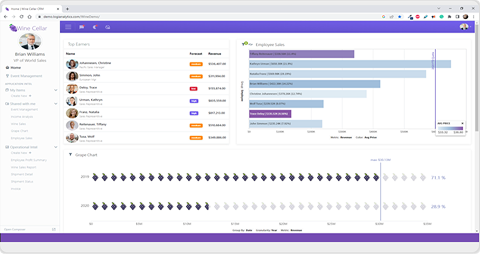
Keep it Governed
More flexibility creates risk if users see too much, change too much, or misread metrics. Teams need self-service that respects tenant boundaries, permissions, and approved data models. The answer is controlled flexibility, not unrestricted access.
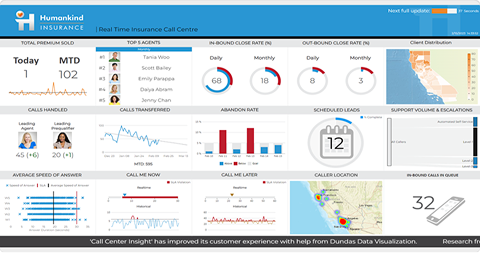
Feel Native
Customers can tell when analytics behaves like a separate product. Styling, navigation, permissions, and workflow fit all matter. Self-service should feel close enough that users forget where the app ends and analytics begins.
HOW IT WORKS
Give Customers Governed Freedom
Simba Agentic Intelligence lets product teams embed self-service analytics customers use without leaving the app. Users explore, create, and personalize while you control tenant access, permissions, branding, and workflow.

Embedded Self-service
Let users explore, filter, group, create, and personalize analytics directly inside your product experience.
Governed Data Access
Control which data, fields, metrics, and actions each customer or user can access.
Tenant-Aware Analytics
Support multi-tenant experiences that keep each customer's data, permissions, and context separated.
White-Label Experience
Match analytics styling, navigation, and interaction patterns to the product experience around it.

Data Sharpening
Use patented Data Sharpening to keep analytics responsive across large, fast-moving, high-volume data.
Native Integration
Use APIs and embedding controls to connect analytics with users, roles, permissions, and app logic.
WHY US
Self-Service Built for Product Teams
Give customers exploration inside governed boundaries, designed for embedding, so adoption grows without adding to your backlog or breaking tenant rules.
Freedom Inside Guardrails
Customers want flexibility; teams need control. Support exploration inside governed boundaries so users answer their own questions without bypassing tenant rules.
Designed for Embedding
Not an internal BI tool repackaged for customers. Built for embedded product experiences with controls for branding, integration, and multi-tenancy.
Built to Scale Adoption
When customers safely create their own views, teams reduce one-off requests and support more needs without building every dashboard. Explore without growing the backlog.
What Embedded Self-Service Needs
Standard BI embedding may be enough for some products. The harder question is whether analytics behaves like part of your app for external users and tenants at scale.
| Feature | Simba Embedded Analytics | Build in-house | Standard BI embed |
|---|---|---|---|
| Embedded Self-Service Authoring | |||
| Tenant-Aware Access | |||
| White-Label Experience | |||
| Native or iFrame-Less Embed | |||
| Product Workflow Integration | |||
| External-User Licensing Fit | |||
| Developer Control via APIs | |||
| Built for Customer-Facing |
Frequently Asked Questions
What is embedded self-service analytics?
It lets users explore, filter, build, and personalize analytics inside a software product. Instead of waiting for the product team to build every dashboard, customers answer more of their own questions within controlled boundaries. The goal is flexibility without losing governance.
Who is this for?
Software companies and product teams that want to give customers more control over analytics inside their app. It suits users who need different views, filters, or metrics based on role, tenant, package, or workflow. The buyer wants to reduce backlog while improving product value.
How is this different from a static embedded dashboard?
A static dashboard shows a predefined view. Embedded self-service lets users interact more deeply, create views, adjust analysis, and explore questions that were not fully anticipated. The experience is more useful because customers are not limited to one fixed path.
How do we keep self-service from becoming uncontrolled?
The product team defines what users can access, change, create, and share. Permissions, tenant boundaries, available fields, and app logic can be controlled so users explore within approved limits. Self-service should expand what users can do without opening up everything underneath.
Can this be white-labeled?
Yes. Embedded self-service should look and feel like part of your product. Simba Agentic Intelligence supports branded, product-native experiences that align with your app's styling, workflows, and UX. Customers should feel like they are using your product.
Can different customers have different experiences?
Yes. Teams can tailor analytics by tenant, role, user type, package, or workflow, supporting different needs without a separate analytics product per account. Personalization matters, but it still needs governance.
Can customers create their own dashboards or views?
Yes, depending on configuration. Users can be given controlled ways to create, modify, save, or share views inside the app. The product team decides how much freedom each audience should have.
Why not just embed a standard BI platform?
For some products, standard BI embedding may be enough. The question is how far you need native integration, iframe-less experiences, white labeling, tenant control, and licensing fit. If analytics needs to behave like part of the product, those details matter.
Do we need Simba Intelligence for AI features?
Yes, if the goal is governed AI answers or natural-language experiences. Simba Agentic Intelligence provides embedded analytics; Simba Intelligence provides the AI answer layer as a separate module. Do not assume AI is included in Simba Agentic Intelligence alone.
What should we plan before embedding self-service analytics?
Start with the users who need it, the questions they ask, the data they may access, and the parts of the experience they can change. Then define guardrails for authoring, sharing, branding, and tenant access. The best projects design freedom and control together.