
Visual Studio Tip: Enabling TODO tasks using Pragma Directives

insightsoftware is the most comprehensive provider of solutions for the Office of the CFO. We turn information into insights, empowering business leaders to strategically drive their organization.

Visual Studio, the IDE of choice for Windows C++ development here at Simba, has a useful Pragma directives feature that lists locations in the code when building the project. You can get Pragma, TODO or other tokens in your comments to show up in the Task List with a few easy steps. There are conflicting instructions elsewhere on the web, so here is what will work for Visual Studio 2019 to 2022:
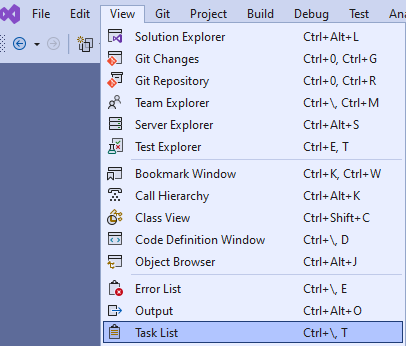
Open the task list: Select View -> Task List
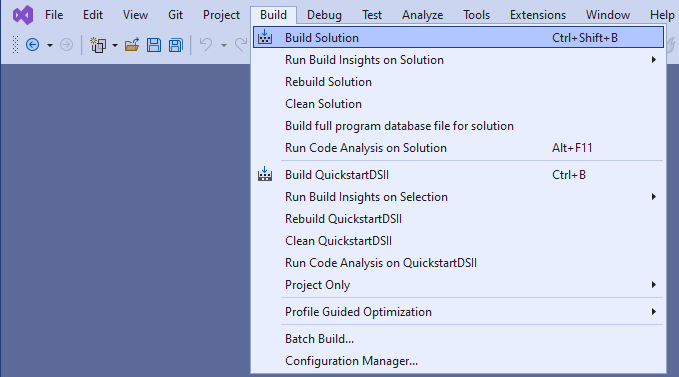
Build the Solution: Select Build -> Build Solution
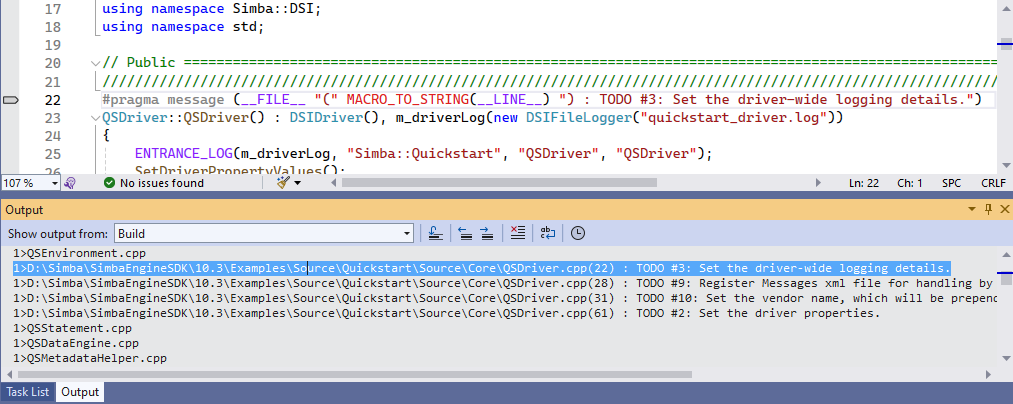
Double click the TODO message in the Output pane:
Select Edit -> Bookmark -> Add Task List Shortcut or Ctrl+K, Ctrl+H
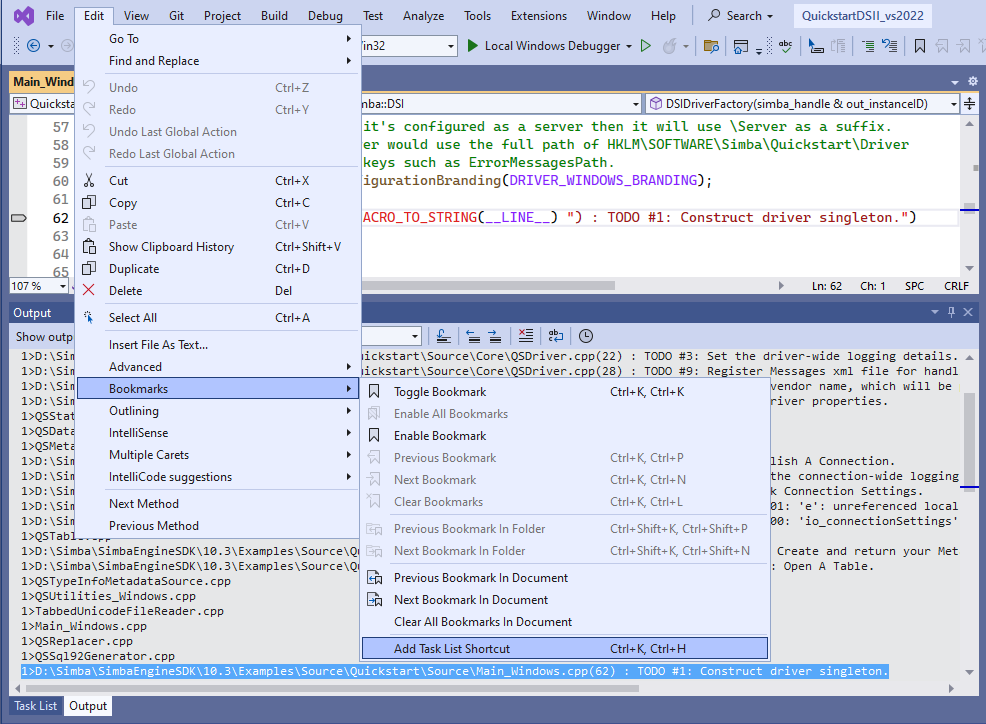
Repeat Step 4 to add all TODO pragma directives to the Task List.
View your TODO comments in the Task List pane!
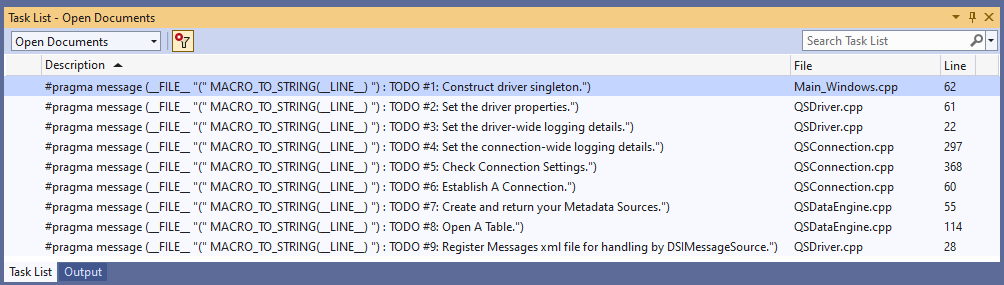
Add Your Own Task!
Add Comment anywhere in the code starting with “// MY_NEW_TASK:”
The task tokens are defined in Tools -> Options -> Environment -> Task List.
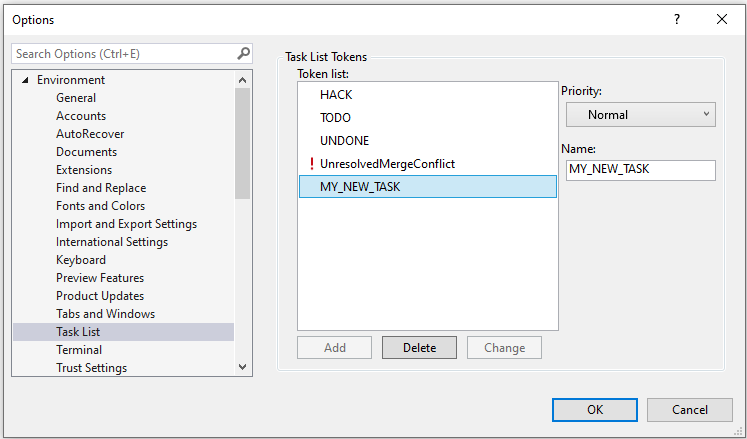
View Task List
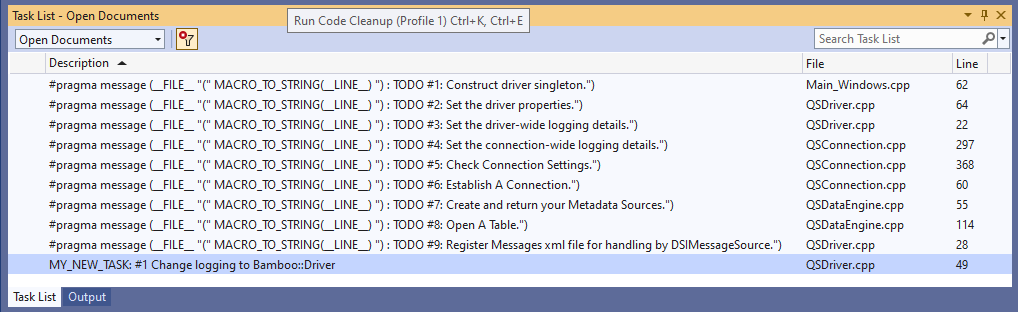
One last thing you should be aware of: Task Lists are apparently not enabled by default in C/C++ for performance reasons, so I suspect that it won’t work well with a large number of TODO tasks in any given file. Performance is probably also why only the tasks for the current file show up in the Task List for Visual Studio 2022.
Get a Demo
Simba Data Connectors provide trusted access to data anywhere, relentlessly optimized for performance and functionality.